
Locking down privacy in a tap
Applocker is a free utility app designed to help users protect their privacy, control, and secure individual apps on multiple mobile devices, saving the day for those people who value their privacy.
Top Recommended Alternative

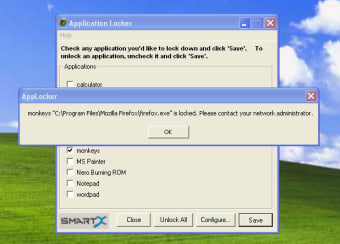
Applocker’s main purpose is to prevent unauthorized access to sensitive apps like messaging, social media, banking, or photo galleries by requiring a passcode, pattern, or biometric unlock before the app can be opened. This functionality is especially valuable when sharing your device or guarding personal information against curious hands, giving users peace of mind over their digital content. However, the developers have ceased providing updates or adding new features to this app.
Privacy protection at your fingertips
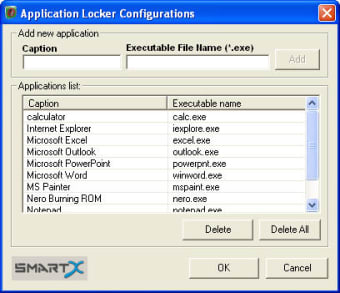
Applocker lets you lock specific applications behind a security barrier — such as Face ID, fingerprint, PIN, or pattern. On iOS, for example, the app integrates with Face ID and touch authentication natively to restrict apps and even manage parental controls like disabling app installation or restricting in‑app purchases for children. On Android versions of the app, features like PIN, pattern, or fingerprint locking help users tailor the level of protection.
For users who want extra access control and privacy beyond basic screen locks, this app fills a useful niche. It’s especially valuable for those sharing devices with family members, managing parental permissions, or simply guarding sensitive apps in a busy household. While it won’t replace a full mobile security suite or system‑level encryption, it serves as a useful first line of defense for app‑specific privacy.
Users generally find its interface straightforward and easy to navigate, with clear options to add apps to the lock list and adjust security preferences. The lock screen appears only when needed, ensuring minimal interruption to regular usage. Many appreciate that the app supports multiple lock types and that it can integrate biometrics for quicker authentication. However, as mentioned above, the developers have ceased providing updates to the app so do not expect new features.
A simple shield for personal privacy
Applocker proves to be a practical tool for securing private apps, offering convenient locking methods like PIN, pattern, and biometrics for added control and peace of mind. It’s user-friendly, lightweight, and great for households where device sharing is common. While it doesn’t replace full mobile security protection and can sometimes include ads or minor glitches, it remains a reliable privacy solution for those wanting quick, app-level protection.